
NEXUS AI / CONTROLLER
The job queue and the job servers manage themselves.
Controller watches the Smallworld job queue and the job servers continuously, without human interaction. It reads load and server health, scales capacity up or down, and can start, stop or reboot a job server. Every decision it takes is visible on the web portal, and an administrator can step in at any point.
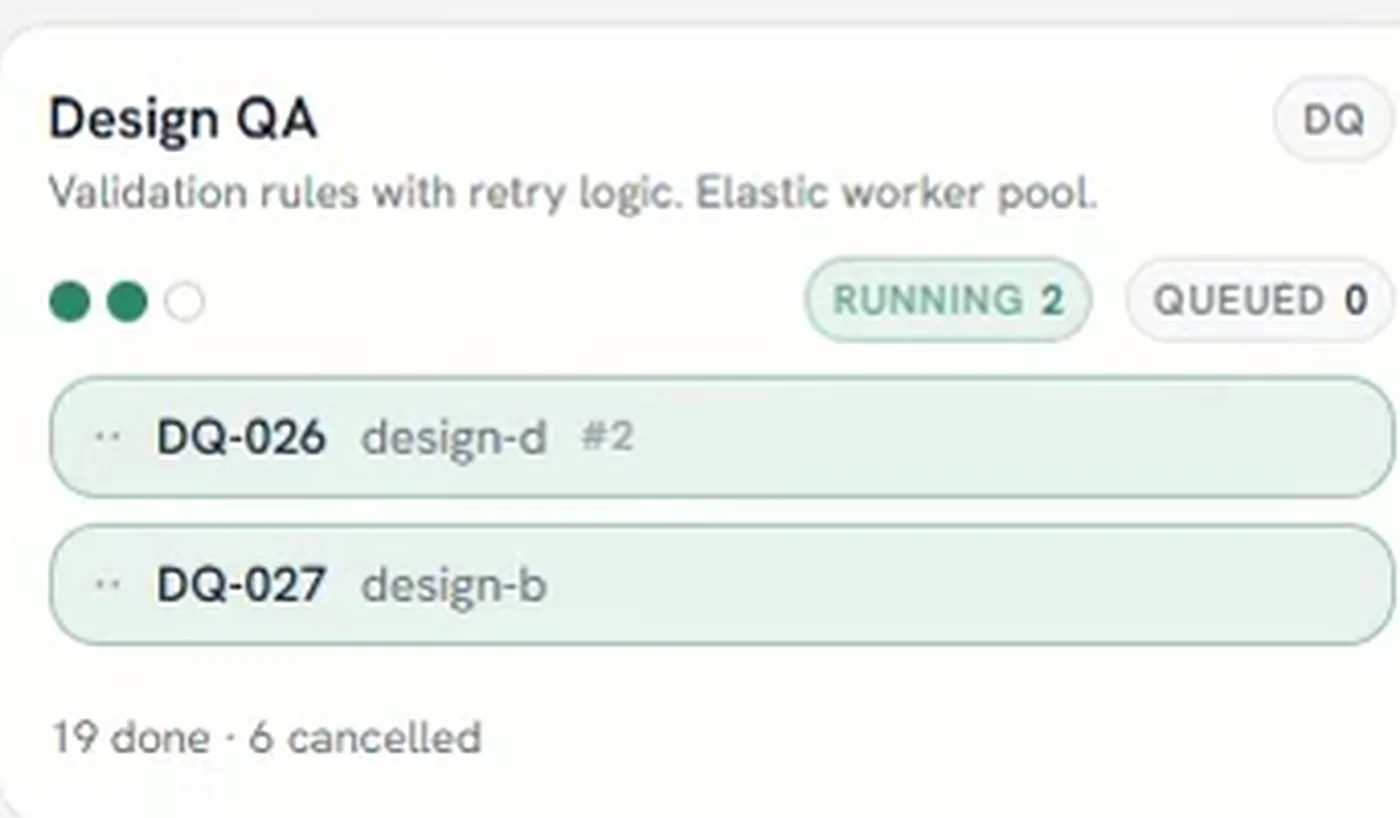
Thirteen seconds of the board running on its own. Work arrives, is routed to a stage, runs, and is counted off — and an administrator can take over at any point without switching the automation off.
Overnight batch fails at two in the morning and nobody finds out until the first person logs in. The queue has backed up behind it, the servers meant to carry the load are idle or wedged, and the morning that was going to be spent on work is spent on recovery instead. Failures that alert when they happen cost a fraction of failures that surface days later.
-
Watch
Load across the job queue and the health of every job server are read continuously, not sampled when somebody thinks to look.
-
Decide
Capacity is scaled against what the queue actually holds, rather than against the shape the estate was sized for.
-
Act
Job servers are started, stopped or rebooted as the work requires, without waiting for an administrator to be awake.
-
Show its work
Every decision appears on the web portal together with the state that prompted it, so the behaviour can be reviewed rather than trusted.
-
Hand back
An administrator can take manual control at any point. Intervening does not mean switching the automation off.
Overnight batch fails
The failure is picked up when it happens and the queue is recovered, instead of becoming the first thing the GIS team finds in the morning.
A heavy period hits the queue
Capacity scales against what the queue holds, so month-end does not need somebody watching a dashboard through it.
A job server stops responding
The server is restarted, and the decision is recorded on the portal with the state that prompted it, so the pattern is visible across weeks rather than argued from memory.
Each connection is made by API or by a direct database connection, and is defined once rather than per project.
- GE Smallworld job queue
- Direction: Read and write
- Smallworld job servers
- Direction: Read and write — start, stop, reboot
| System | Direction |
|---|---|
| GE Smallworld job queue | Read and write |
| Smallworld job servers | Read and write — start, stop, reboot |
Where it stops
- Controller manages the Smallworld job environment. It does not change the data those jobs process.
- Manual control is always available. The automation is not a one-way door.
- Scaling is bounded by the capacity your environment actually has; Controller schedules it rather than creating it.
Who can see what
People sign in with the corporate directory account they already have, and what they are allowed to see is enforced in four places: at the platform, inside each pod, on the map, and in the answers that come back to them.
Where it stands
Controller is part of the standard first implementation, so it arrives with the platform rather than being added later.
One figure, standing on its own rather than added to any other pod’s. Alongside it, zero-downtime batch processing and self-healing are designed to remove the morning bottleneck that follows an overnight batch failure.
Server administration workload — The reduction we aim for by automating the server lifecycle.
Technical walkthrough · 8 min
See it in action — watch the 8-minute Nexus AI Platform walkthrough.
Recorded directly in the platform, with English narration and no slide deck. GIS, ERP, ADMS, and maintenance answering together, without replacing the systems you already run. The link arrives after you register.
Need to brief your leadership? The one-page brief
A technical session covers your estate, where the platform would run, and which pods come first.
Book a technical session